| Type | Side project |
| Role | Designer & engineer |
| Stack | Base UI, Tailwind, Motion, WebGL, shadcn registry |
| Links | usejds.dev · GitHub |
JDS is my design system for AI agent and voice products. It covers the general UI primitives plus the surfaces most systems skip: voice orbs, agent side panels, prompt inputs, tool calls, approvals, reasoning and live transcripts.
Why I built it
Most of my recent work is AI agent and voice UX, and every project started from the same gap. General design systems cover buttons, forms and tables well, but an agent product lives in the states between them: listening, thinking, calling a tool, waiting for approval, streaming an answer. I kept rebuilding those surfaces from scratch, so I turned them into one system with opinions baked in.
How it's built
JDS is built on Base UI for accessible primitives, with Tailwind for styling, Motion for micro-interactions and WebGL for the heavier orb styles. Every component takes the same set of states, so an orb, a side panel and a composer stay in sync inside one experience.
It ships as source through a shadcn registry, so every component lands in your repo and stays yours to edit.
pnpm dlx shadcn@latest add @jds/style @jds/prompt-input
The Studio
The main value is the Studio. Instead of reading props in the docs, you design a voice agent, a side panel copilot or a chat surface visually: tweak it live, preview every state, then copy the code, or a short spec to hand to a teammate or a coding agent. "Build an experience" goes one step further and exports a whole app from one flow.
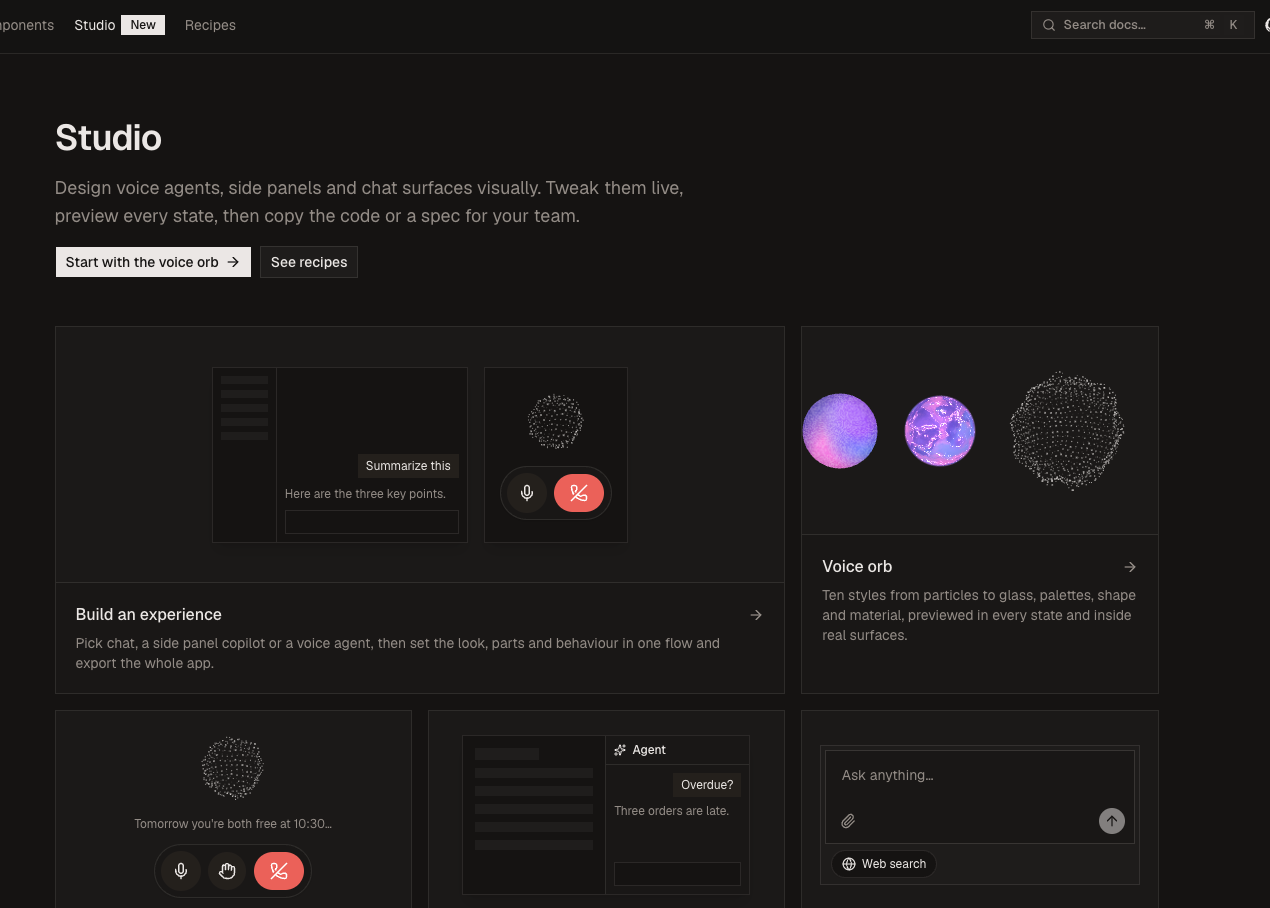
Below are the main pieces.
Voice orb
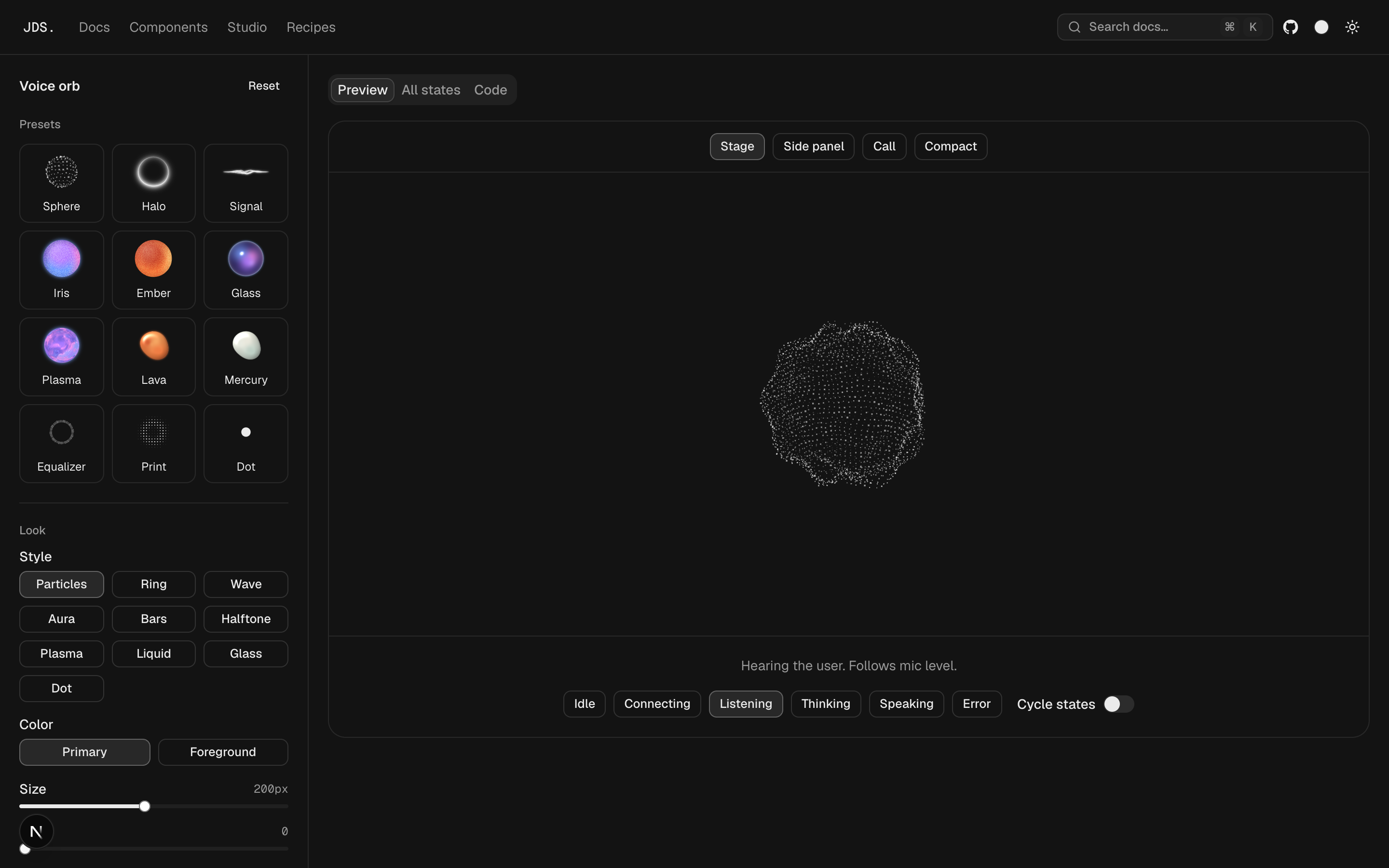
Ten orb styles, from particle spheres to WebGL plasma, liquid and glass. Every variant takes the same states (idle, connecting, listening, thinking, speaking, error) and reacts to mic level. The studio previews each one in context: on stage, in a side panel, in a call and compact.
Agent side panel
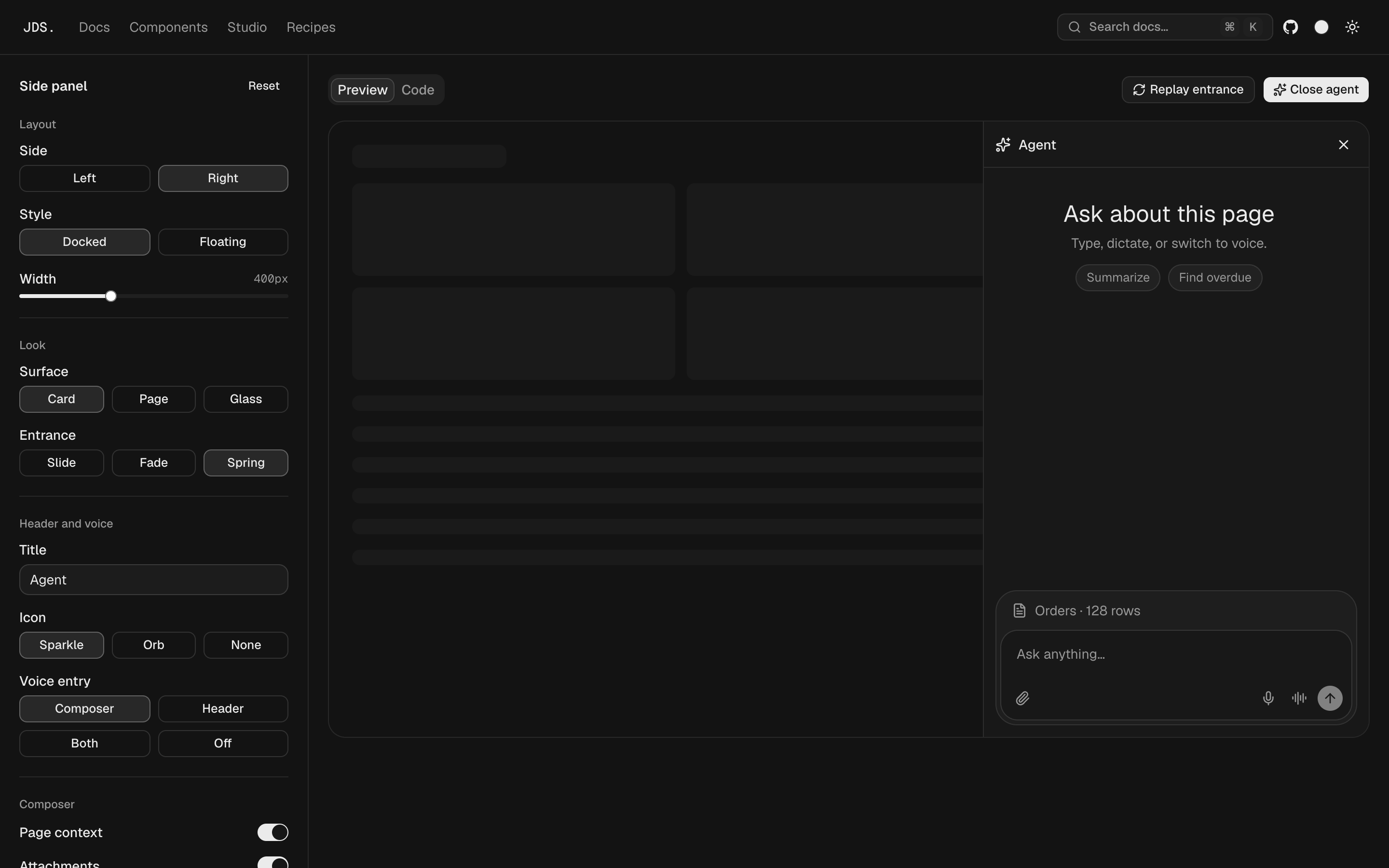
The copilot pattern: docked or floating, left or right, card, page or glass surface, and slide, fade or spring entrances. Chat and voice live in the same panel, with voice reachable from the composer, the header, or both.
Prompt input
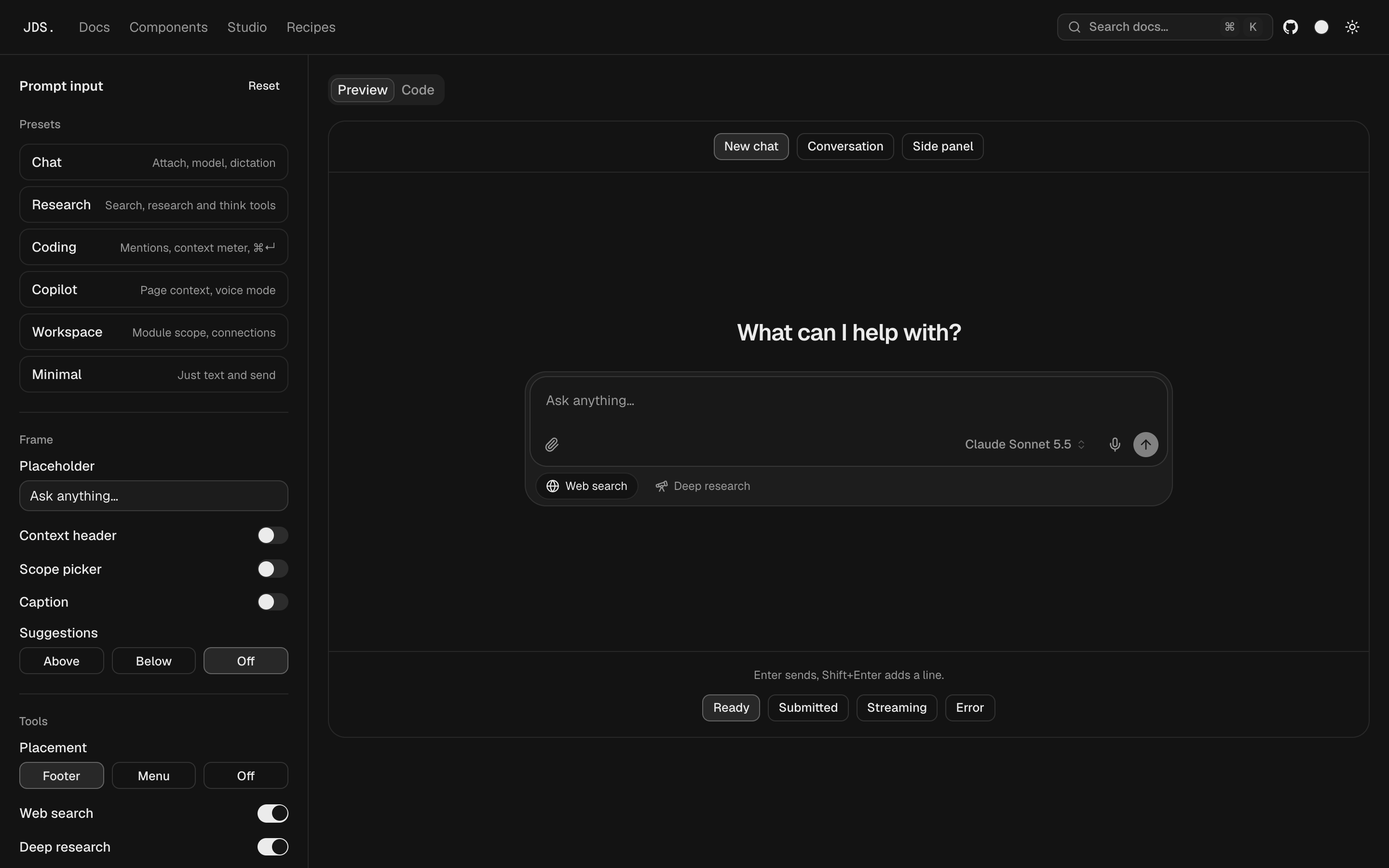
One composer, configured for chat, research, coding, copilot or workspace use: context header, scope picker, tools, model picker, dictation and send behaviour. Previewed in a new chat, a conversation and a side panel, across ready, submitted, streaming and error states.
Open the prompt input studio →
Recipes
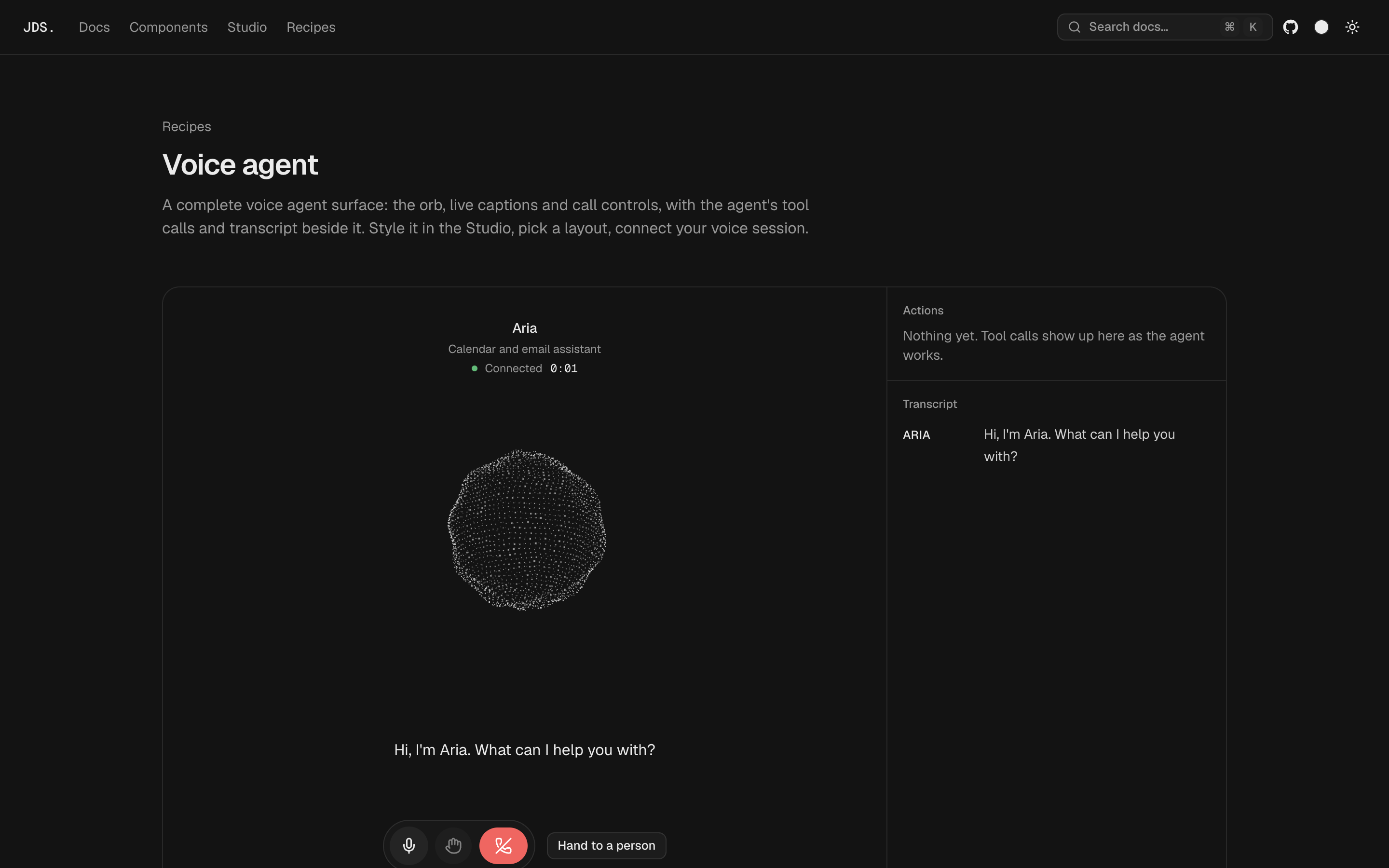
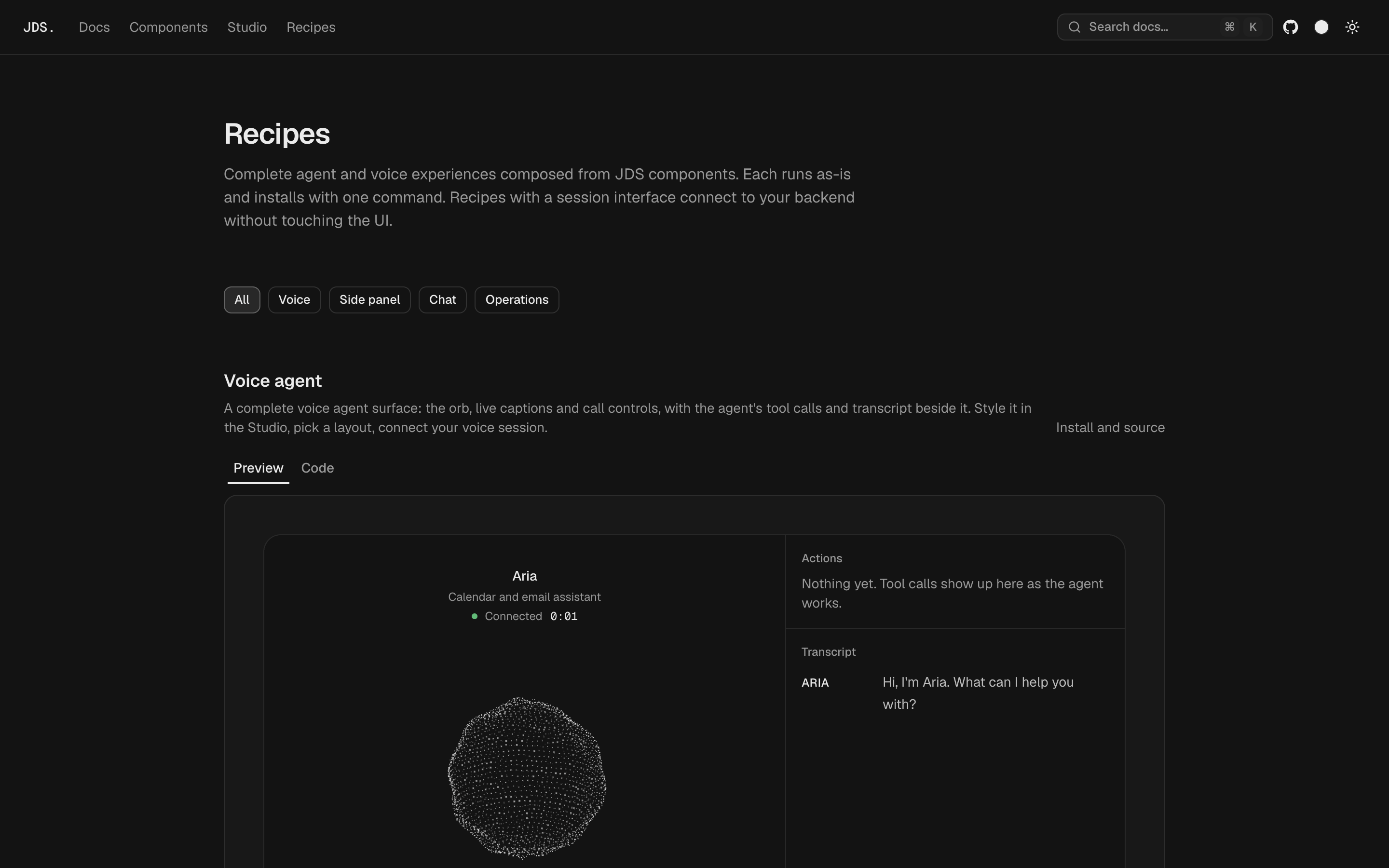
Complete experiences composed from the components, installable as one block. The voice agent pairs the orb, captions and call controls with the agent's tool calls and transcript. Recipes that talk to a backend read a session interface, so a simulated session can be swapped for a real one without touching the UI.