| Company | Nory |
| Timeline | Jan - Feb 2025 |
| Role | Product design and management |
| Team | ML engineer, 3 engineers, tech lead |
| Platform | Web |
01. Problem
Labour can account for up to 40% of revenue in hospitality, and the weekly schedule is one of the biggest levers a restaurant has to control it.
Nory already had the forecasting data needed to build better schedules than a GM could manually. We could predict demand, understand staffing requirements, and calculate labour cost. What we had not done was put any of it where the scheduling decision actually happens.
02. What we discovered
I led discovery across interviews, workshops, usage data and workflow analysis. Without forecasted demand in view, managers overstaffed quiet periods and understaffed busy ones, raising labour cost and hurting service at the same time.
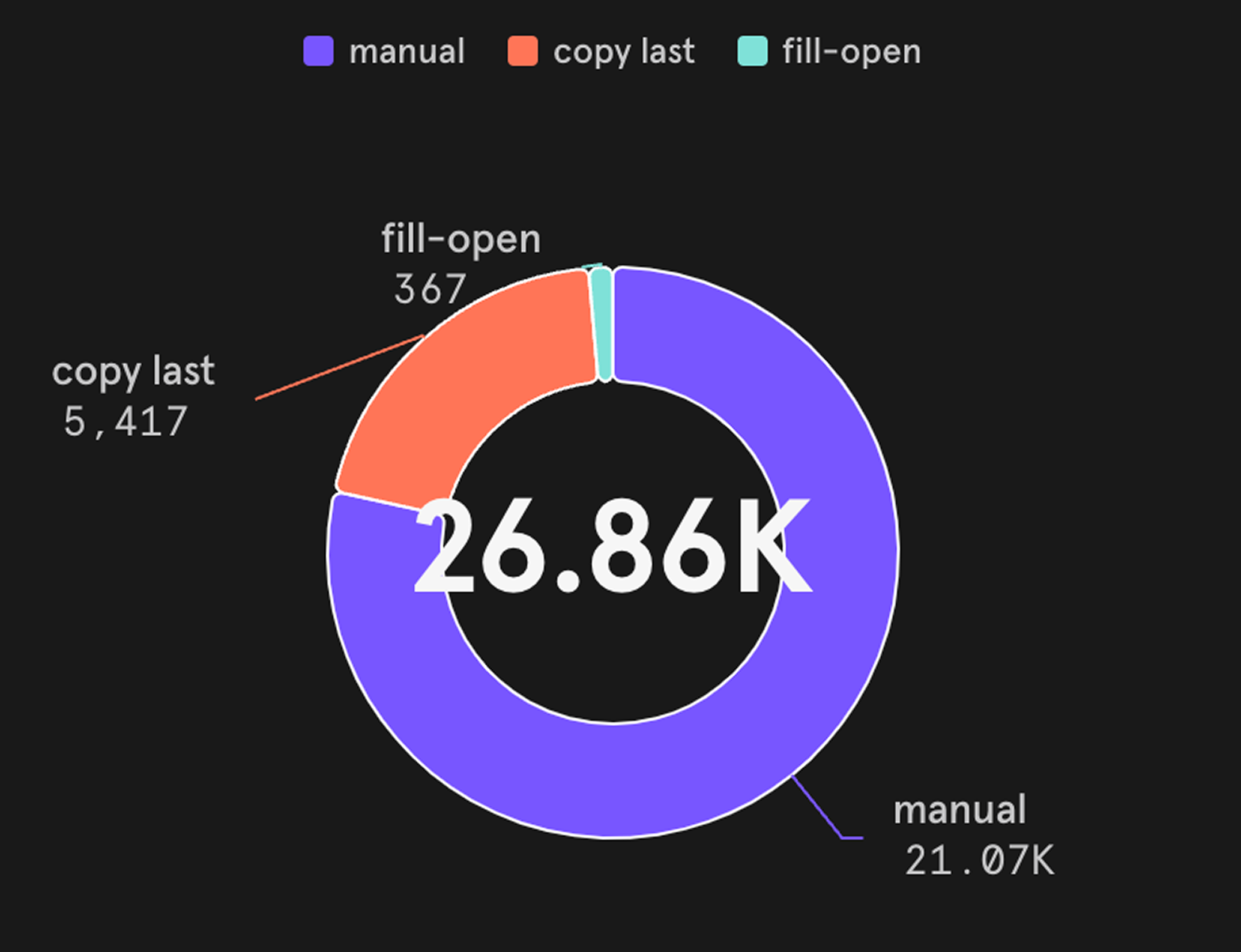
Building one week meant juggling forecasts, labour budgets, availability, roles, compliance rules and department needs, mostly in spreadsheets outside the product. Usage data showed it: 78% of schedules were still built by hand, cell by cell.
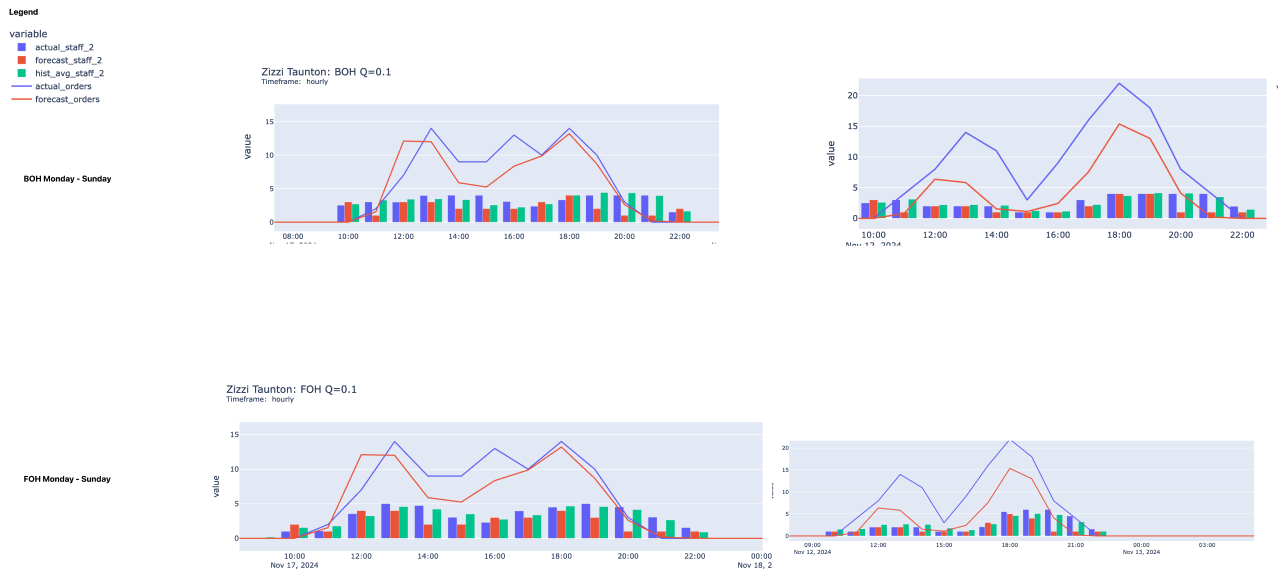
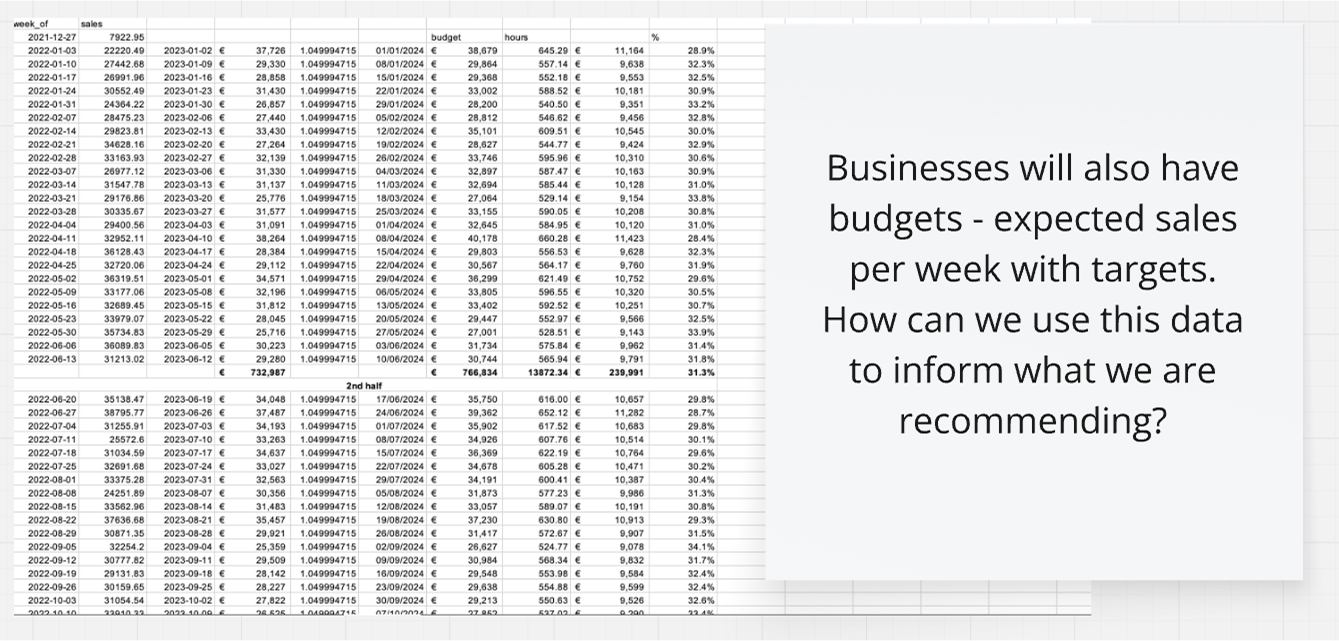
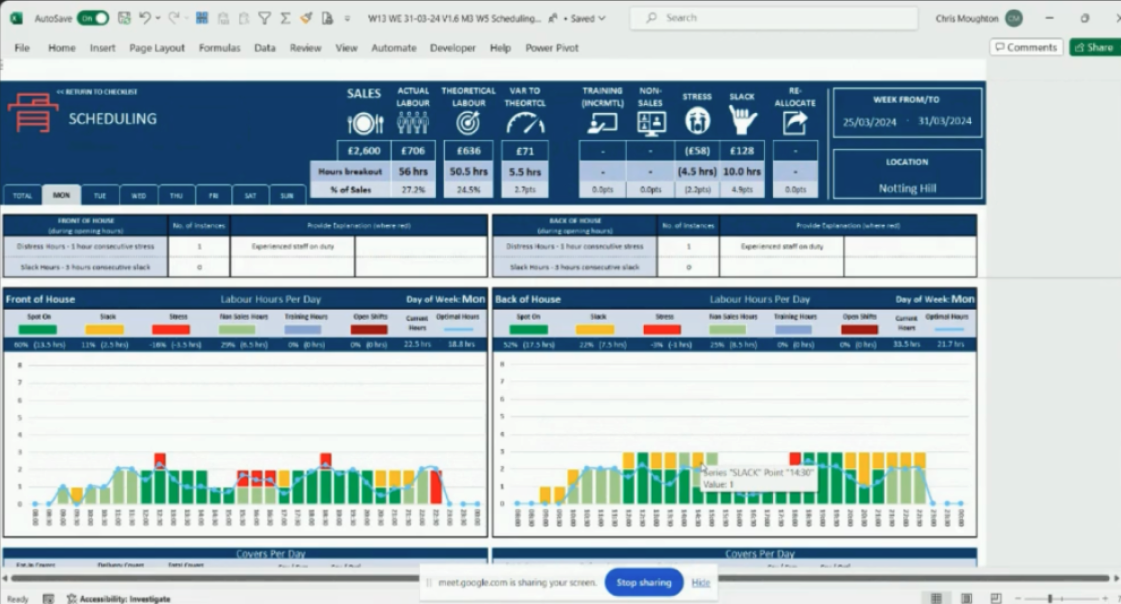
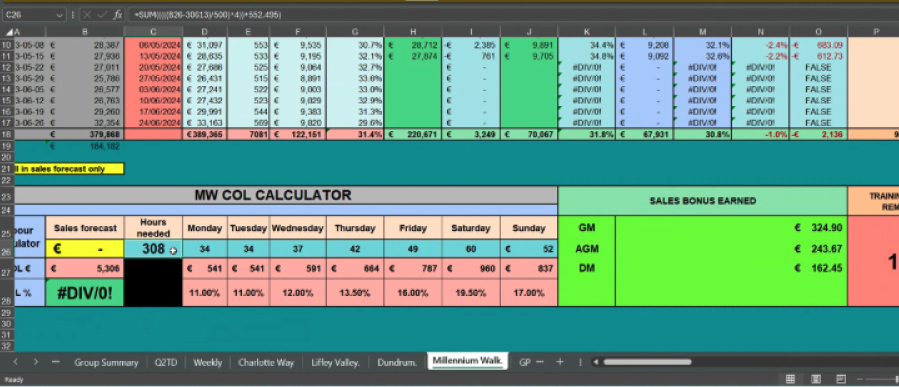
The numbers were only half of it. GMs distrusted algorithmic recommendations on principle: years of software had taught them that automation means losing control.
"Well... the AI doesn't know that the main door was broken yesterday, does it?"
So we optimised for trust first, and let accuracy compound behind it.
03. Exploring options
With the requirements mapped, I explored where AI could add value across the scheduling workflow: inline recommendations, fully generated schedules, conversational concepts.
The question underneath all of them was the same. Where does the AI decide, and where does the manager stay in control?
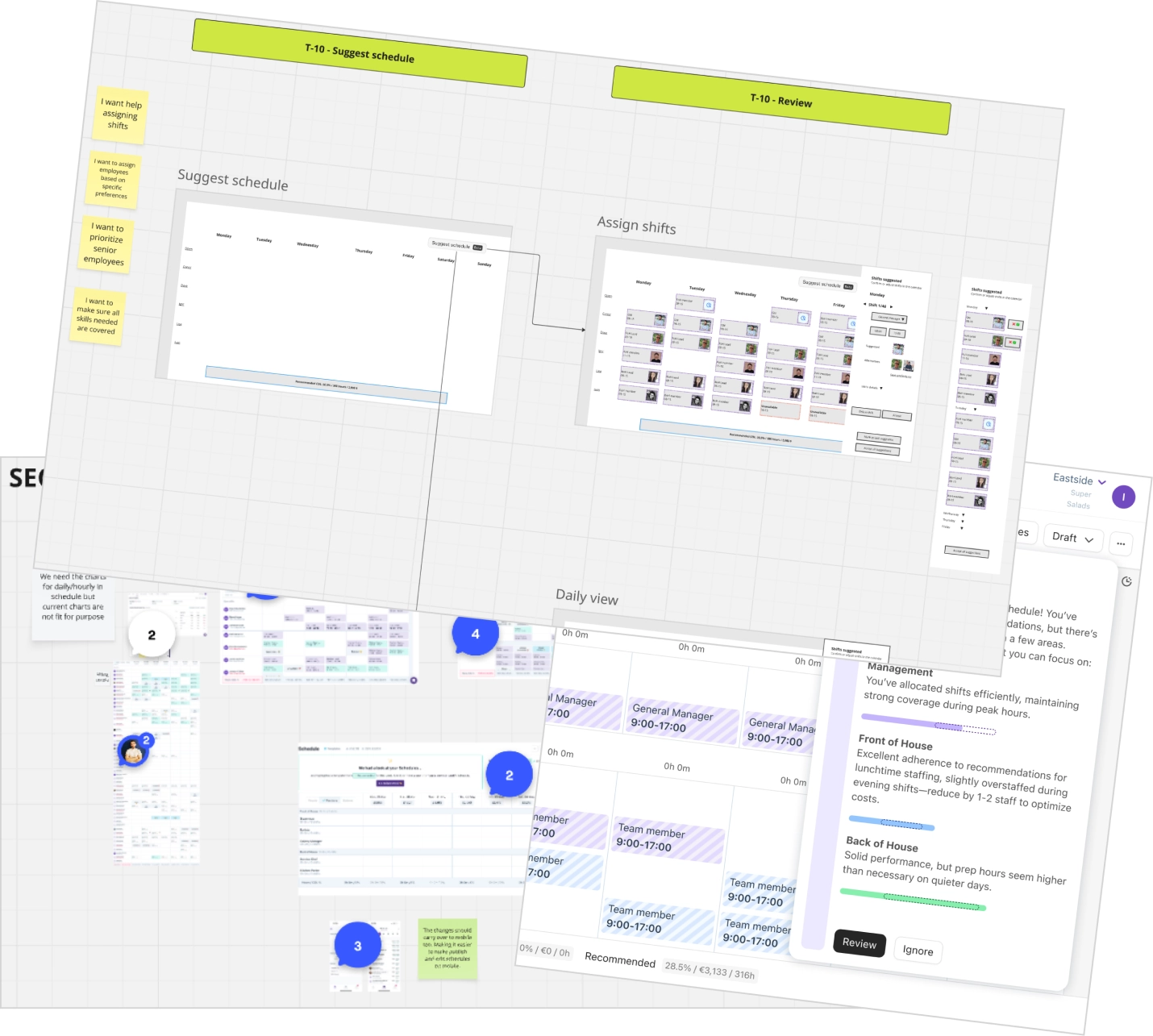
Testing different levels of automation pushed us toward an incremental answer: the AI does the heavy lifting inside a safe review state, and the manager makes the final call. That gave us a foundation we could expand as trust in the system grew.
04. The solution
We brought forecasted demand directly into the scheduling workflow.
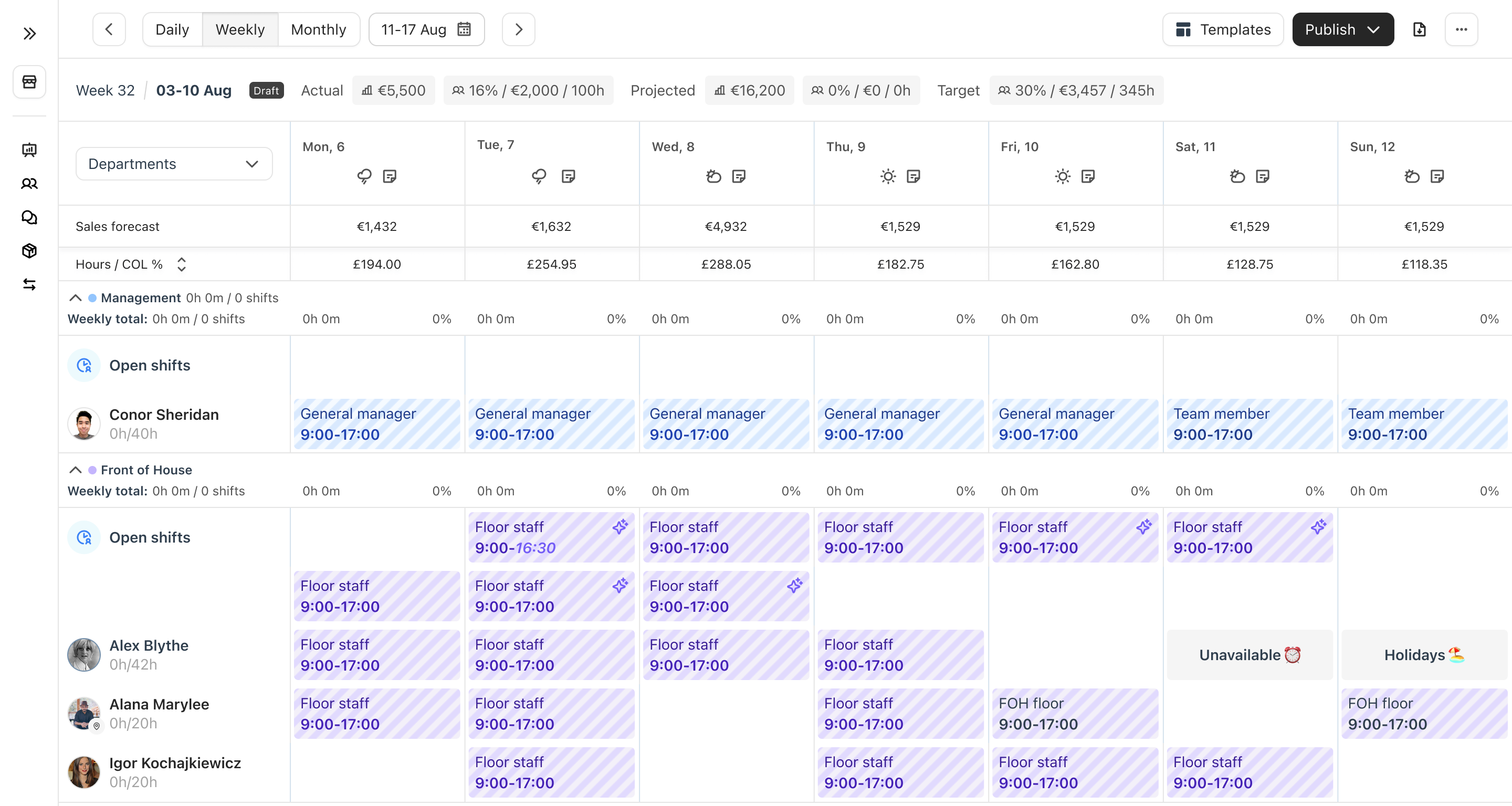
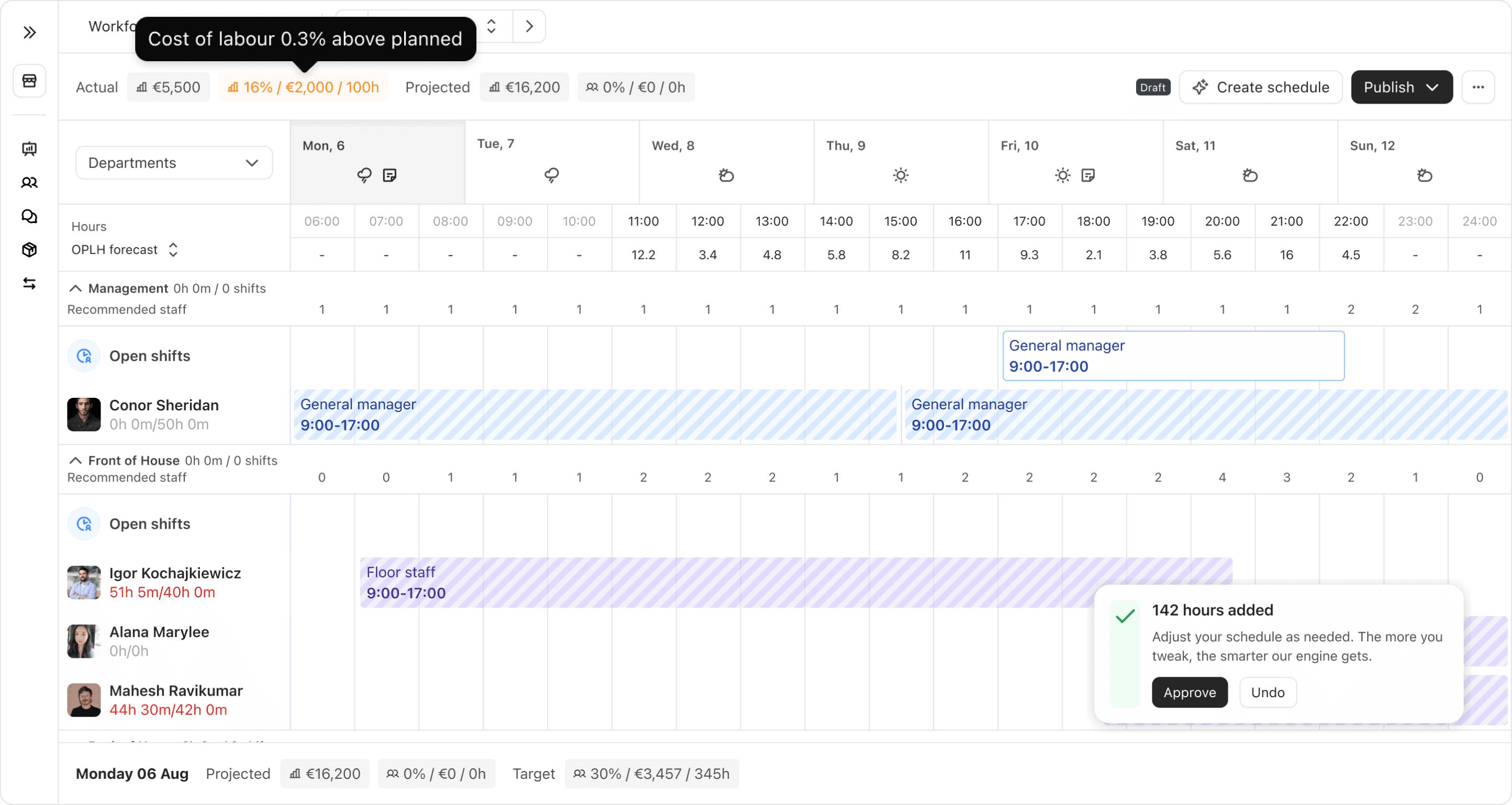
The weekly view surfaces sales, orders, labour cost and staffing by department. The daily view goes an hour at a time, showing current against optimal staffing, with a recommendation inline when the week drifts off budget.
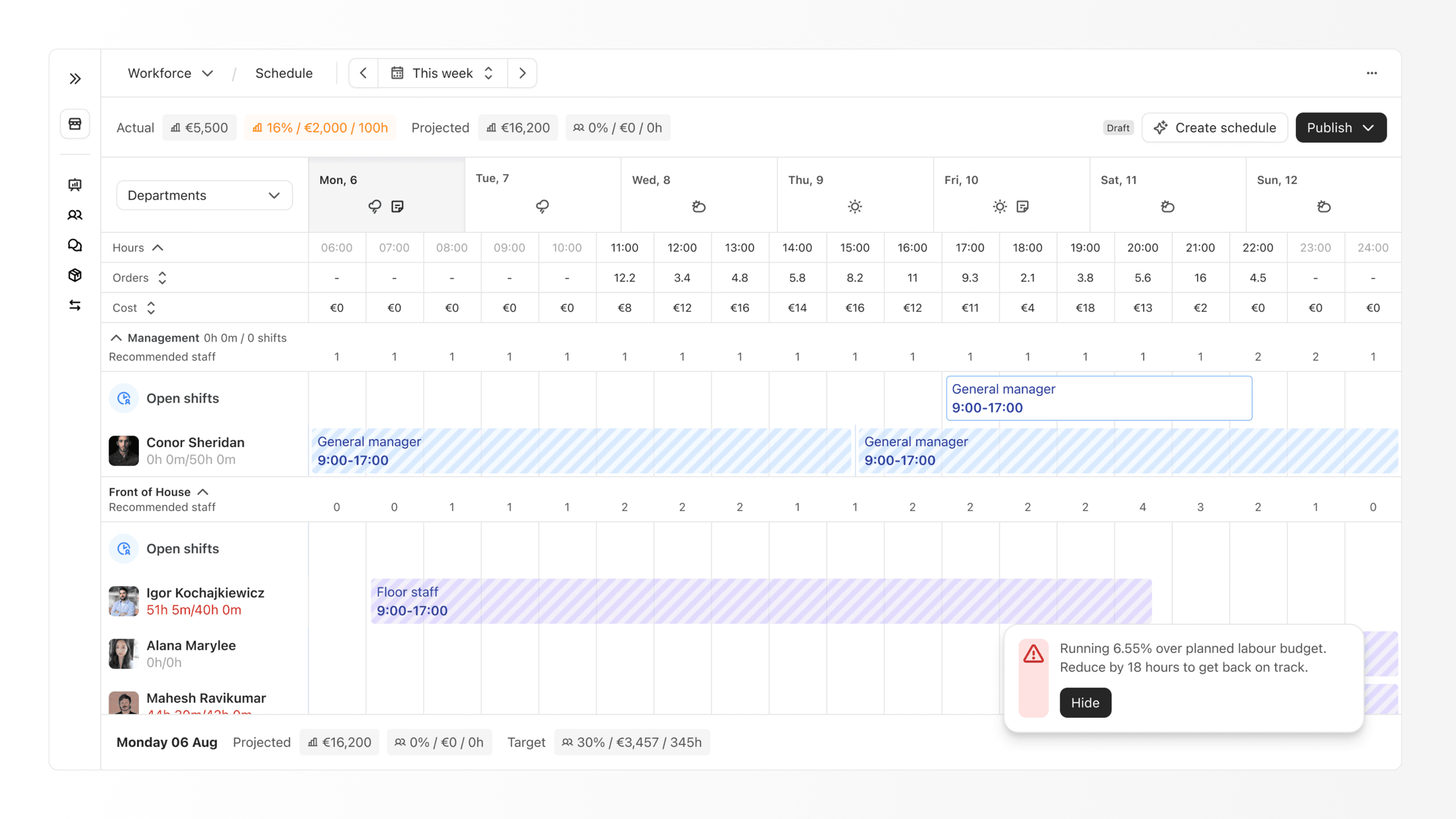
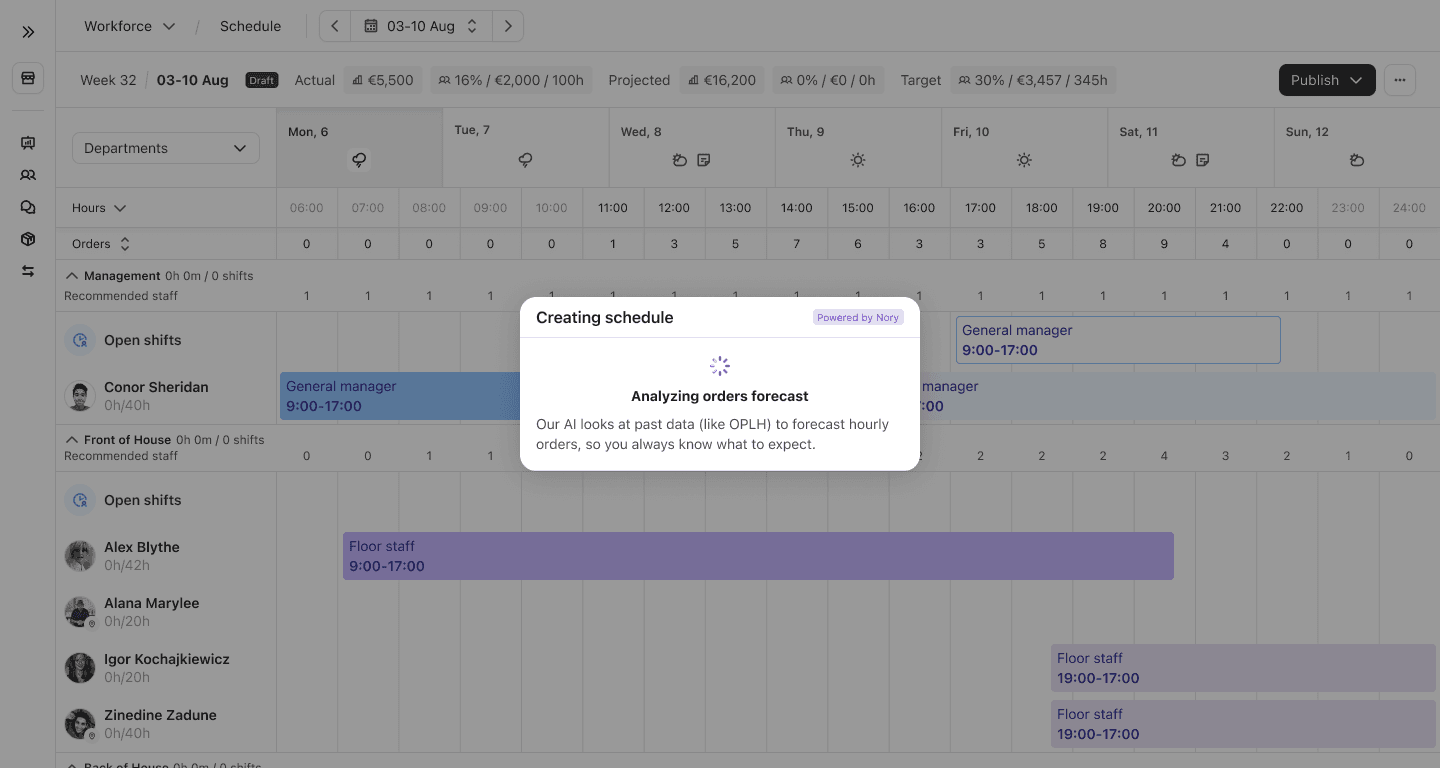
We also made the AI's reasoning visible. Every recommendation could be traced back to the forecast, historical orders per labour hour (OPLH) and labour targets, so a GM had enough context to understand why a given shift was suggested, and enough standing to disagree with it.
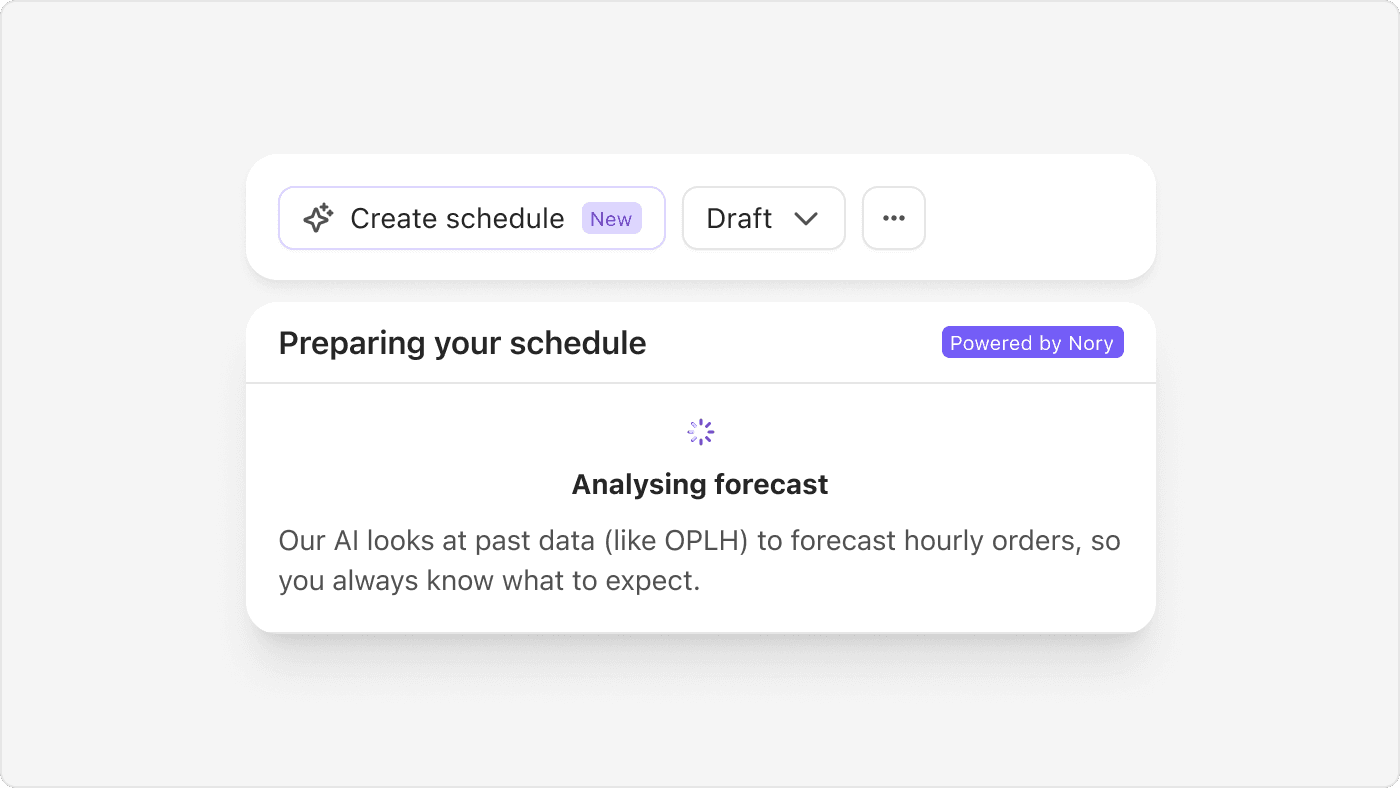
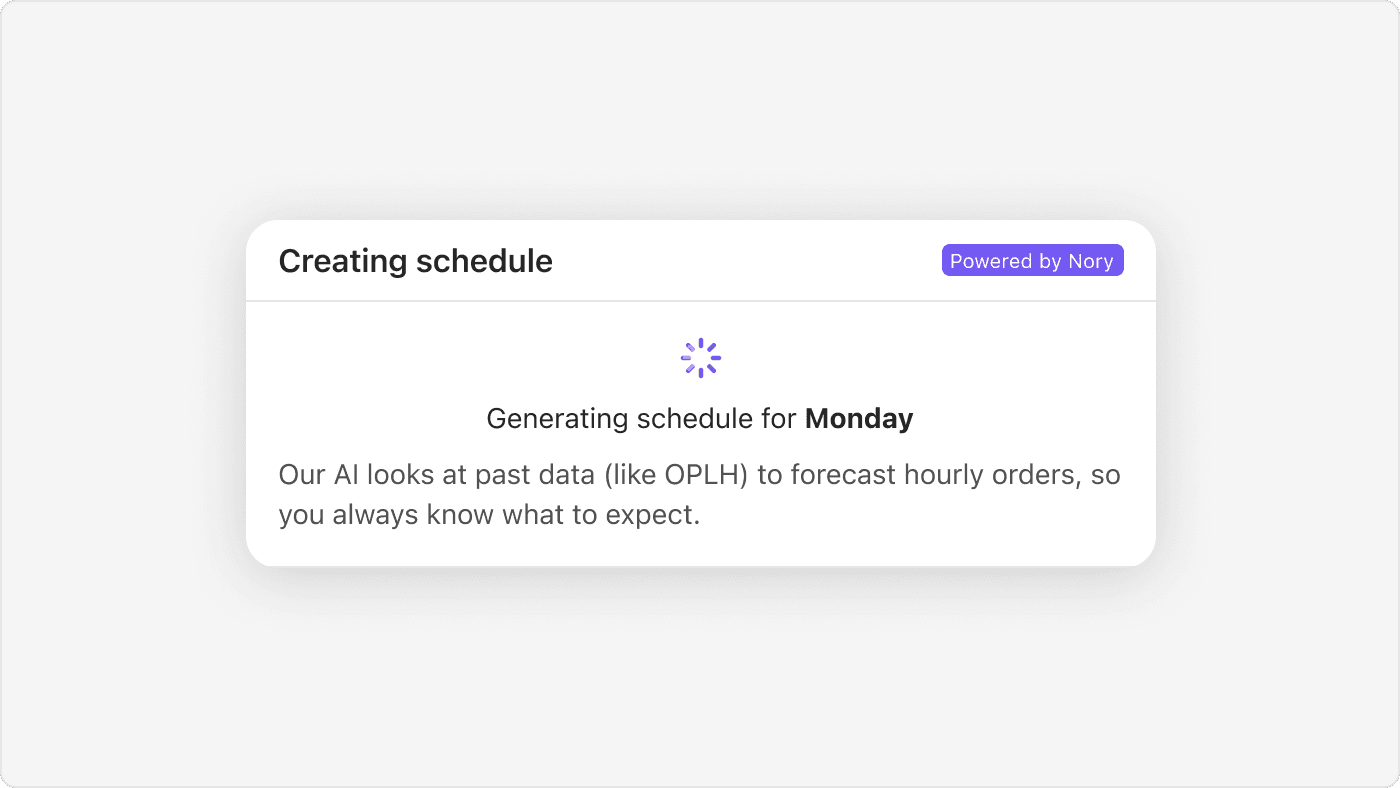
"Create schedule" opens a short sequence that narrates each step, from analysing the forecast to generating the week day by day, with the data sources named in plain language.
The AI never writes straight into the GM's draft. Its proposal lands in a review state that the GM approves or undoes, and only then becomes their draft. Writing directly into the draft with an undo would have saved clicks, but authorship is what makes trust last.
05. What we scoped out
We cut custom rule editing, conversational AI, department colour coding, and a refresh of legacy design system components. We had also planned a second intelligence layer that turns natural language into business rules. Instead we focused on proving the core bet: that AI scheduling saves money by optimising labour hours.
06. Impact
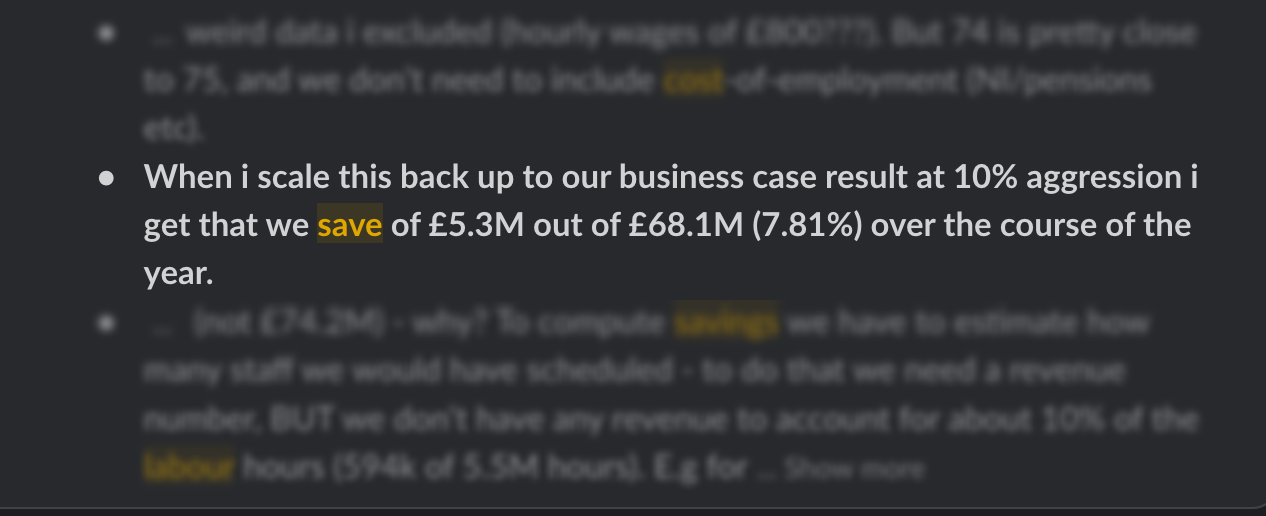
The £5M+ figure came from scaling the beta to that customer's full estate: roughly £5.3M a year against £68.1M of labour spend.
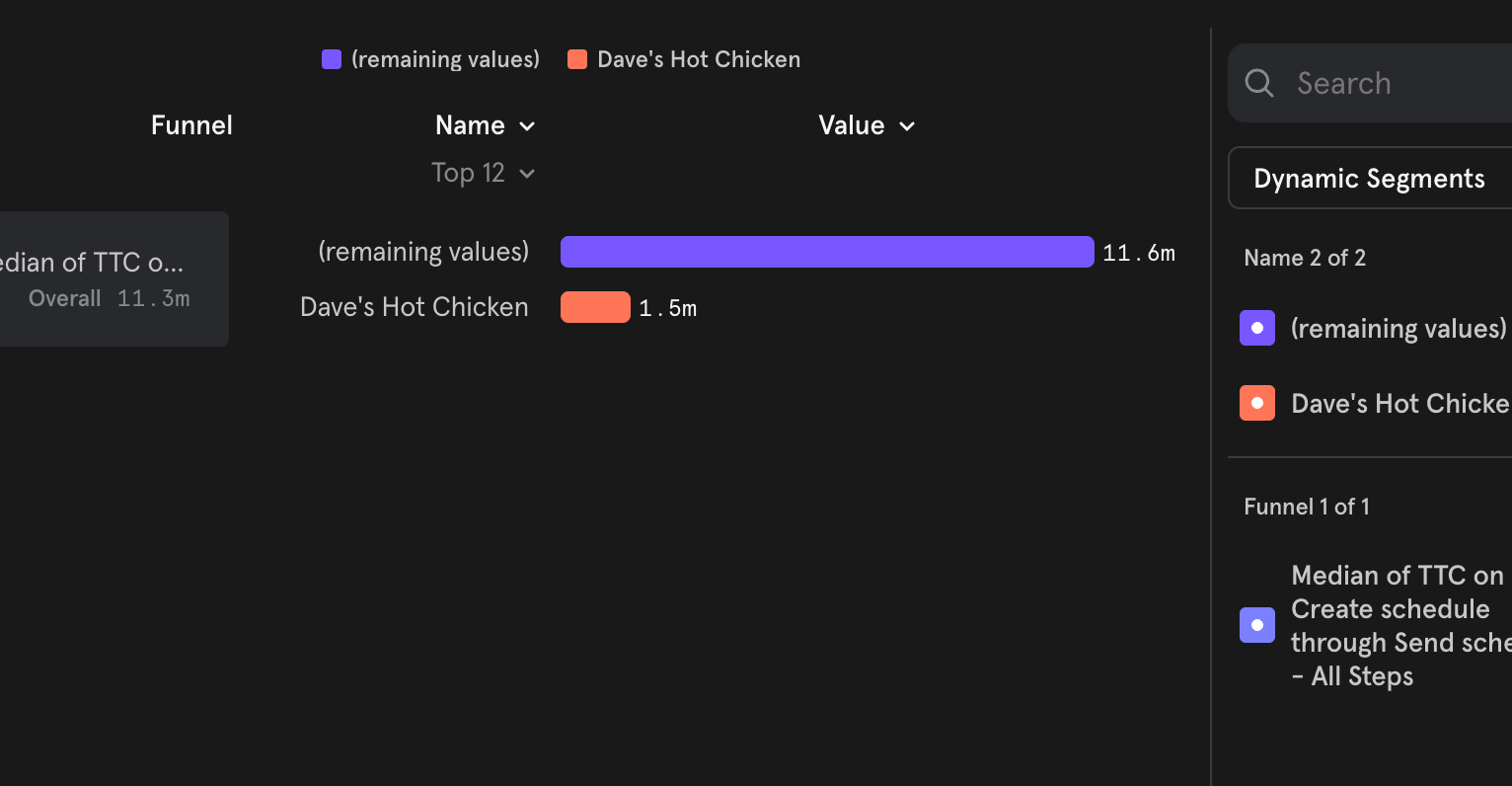
Median time from creating a schedule to sending it was 1.5 minutes for the beta customer, against 11.6 minutes for everyone else.
07. What I learned
When AI operates inside a workflow owned by an expert, trust matters more than autonomy.
The AI does not need to prove it is always right. It needs to make its work understandable, editable and reversible.